
The Content Audit Template
Find out which of your last 30 posts earned their place, and what the next 30 should learn from them.
You scroll back through last month’s posts and cannot tell which ones supported the business. A few got likes, one or two got a comment, and the rest sit there, published and forgotten. What you need is not more analytics. It is a decision about where your limited content time should go.
£49, one-off payment, delivered to your inbox immediately.
Your Platform Tells You What Happened. The Audit Shows You What It Meant.
Your platform tells you
How many people liked, commented or viewed each post
Which post reached the most people
Which days and times got the most activity
The audit helps you see
Which topics keep attracting the right people
Which posts earned attention but produced no enquiries
Which quieter posts started real conversations
Which formats take the most effort for the least return
Which content pillar has slipped out of your feed
Those are decisions, not metrics. Analytics are useful for seeing what happened. This is built to show you what it meant for your business.
You Are Not Ready To Hand This Over. You Want To Know How Your Content Is Doing.
You know social media supports your business, and you post where you can around everything else the business needs from you. You are not looking to hand it over. You are curious, and you want to know what is worth protecting, what is worth improving and what is worth letting go.
Nobody ever sat down with you and turned a scroll back through your last 30 posts into something you could learn from. So the not knowing sits there quietly, the same way it did last month, and the month before that.
Audit, Interpret, Decide
The Content Audit Template is a structured review of your last 30 posts, built in Airtable. It gives you a beginning, a middle and an end.
1. Audit
Work through your last 30 posts one at a time, answering the same 17 questions about each. Content pillar, format, message intent, buyer awareness stage, engagement, enquiries generated and your honest reflection, so nothing is left to memory.
2. Interpret
The linked summary table and charts pull the patterns together as you work. The results interpretation guide explains what each one means in plain language.
3. Decide
You finish with a one-page decision summary covering what to do more of, what to do less of and what to test next.
Picture opening it and seeing which pillars you have leaned on too heavily, which formats quietly underperform every time, and which single post this month did more work than the rest combined. That is the shift, from a vague sense that some things work better than others to an evidenced picture you can act on.
I Built This Because I Could Not Tell Which Of My Posts Were Earning Their Place
Analytics platforms show numbers. They do not show whether a post did the job it was meant to do, which is moving the right people closer to working with you.
So I ran this audit on my own content before I offered it to anyone else. One post received almost no likes and produced a direct enquiry, and it was worth more that week than anything else I had published. My platform would have told me it had failed.
It surfaced patterns I had not seen, and they have changed how I plan every month since.
What The Two To Four Hours Look Like
Plan for two to four hours, usually in one sitting. That is the session that produces the data everything else is built on, and I would rather tell you now than have you find out halfway through.
You do not need to be an analytics expert, and you do not need to know Airtable. Here is the whole path.
Open the base. Duplicate it into your own free Airtable account, which takes about thirty seconds.
Read the two short guides. The setup guide has screenshots at every stage, and the completion guide explains what each field is asking.
Work through your posts. One post per row. You will be entering your first post within the hour.
Watch the patterns appear. The summary table and charts build as you enter each post.
Open the results interpretation guide before you draw any conclusions. This is where the patterns become decisions.
What Is Inside
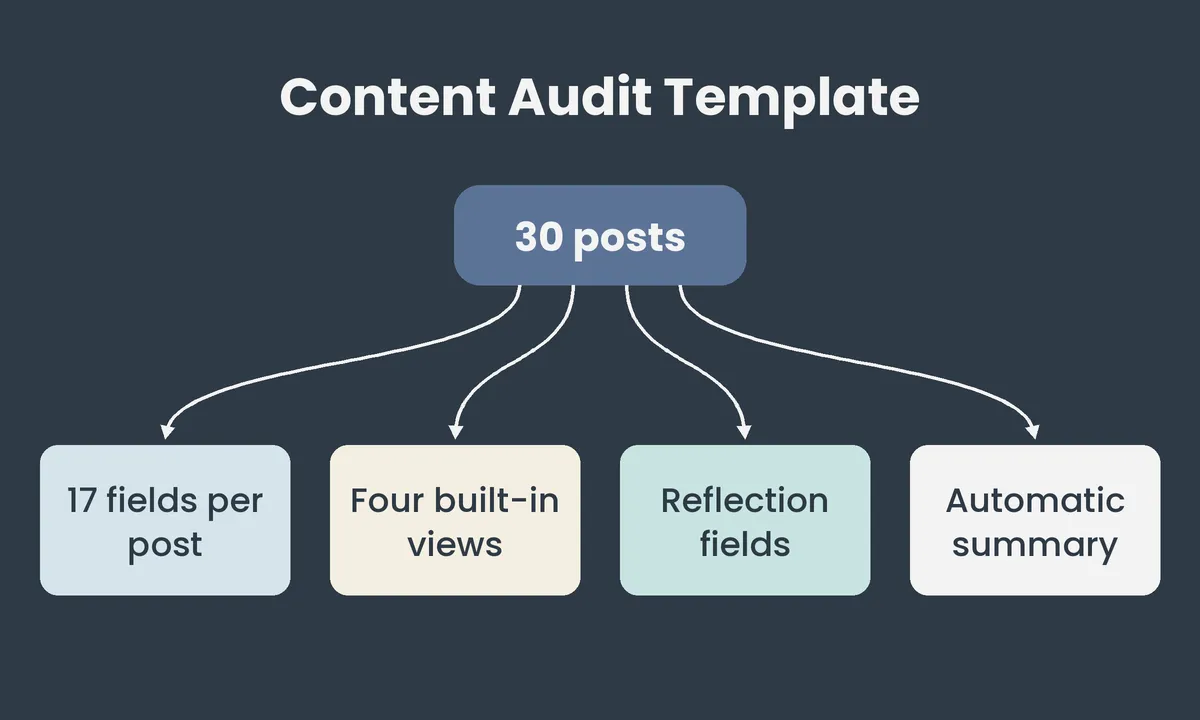
30 pre-populated rows, linked to a summary table
Open it, duplicate it and start. Need to review more than 30 posts? Add as many rows as you need.
17 focused fields per post
Built around commercial questions, not vanity metrics.
Four Built-in views
The full audit table, a best-performing posts view, a content format breakdown and a content pillar breakdown, so patterns surface without you sorting or calculating anything.
Three reflection fields per post
1. What worked
2. What you would change
3. Whether you would post it again
Charts and totals across all 30 posts
Your decisions rest on the whole body of work, not one post in isolation.
Works across every platform
Facebook, Instagram, LinkedIn, video, carousel, text. If you posted it, you can audit it.
Use it every month
The same base works again and again. Airtable’s free plan holds up to 1,000 records, and once you reach that limit, a fresh empty duplicate takes a couple of minutes.
What You Receive
The audit
The Content Audit Template, a pre-built Airtable base with a linked summary table and charts
Step-by-step setup guide with screenshots from a real Airtable account
Completion guide with a field-by-field walkthrough
The interpretation
Results interpretation guide, explaining what your summary is telling you and what to do next
Added so you can finish what you start
The 30-Post Decision Summary. A one-page worksheet that turns your findings into do more of, do less of, stop doing, test next, one pillar to strengthen and one thing not to change.
£49 to find out where your next 30 posts deserve your time
One payment, with no subscription and no recurring charge.
This is a digital product delivered immediately, so once access is provided I am not able to offer a refund. If the base does not work as described, contact me and I will fix it the same working day at no cost to you.
Questions Worth Asking Before You Buy
I already have analytics.
They are useful for seeing what happened. The audit is designed to show what it meant for the business, which no platform can tell you because it does not know what you were trying to achieve.
I could build a spreadsheet.
You could. This saves you deciding what to track, how to structure it and how to pull the patterns together, so your time goes on the thinking.
Could AI analyse my posts?
Potentially, but the quality of the conclusion depends on the questions asked. This gives you the same questions for every post, so the comparison is fair, and the answers come from what you know about your own business.
What if I cannot act on what it shows?
That is what the interpretation guide and the decision summary are for. You do not finish with data and a blank page.
How This Pairs With The Strategic Content Planner
The audit shows you what has already happened. The Strategic Content Planner takes that forward. Completing your audit first means every planning session after it starts from evidence instead of a blank page.
If you do not have the Planner yet, the template still works on its own, feeding into whatever planning process you already use.
If The Data Tells You Something Bigger
Sometimes the audit does not find a formatting fix. It confirms that content has never been the real problem, or that creating it yourself is costing you more than it gives back. If that is what your results show, the Brand Alignment Audit or Social Media Management are the honest next steps, and worth knowing about once you have seen your own data.
FAQs
Do I need to already use Airtable?
No. You duplicate the base into a free Airtable account in about thirty seconds, and the setup guide has screenshots at every stage.
What if I have fewer than 30 posts to review?
Use whatever you have. Even a smaller sample still surfaces real patterns worth knowing.
What if I do not have enough posts to see patterns?
The audit works best with around 30 posts, because patterns need a spread to show. With fewer, you will still see which posts earned enquiries and where your time went, but treat any pattern as something to test rather than a finding. The results interpretation guide explains how to read a smaller set.
What if I want to review more than 30 posts?
You can add as many rows as you need.
Can I keep using this every month?
Yes. The free plan holds up to 1,000 records, and a fresh empty duplicate takes a couple of minutes once you reach that limit.
What platforms does it work for?
Any platform you post on, including Facebook, Instagram and LinkedIn, and any format, including video, carousel and text.
How long does it take to complete the audit?
Plan for two to four hours, usually in one sitting.
I already track my post performance in a spreadsheet. Is this different?
A spreadsheet shows you numbers. This asks the commercial questions behind them, such as which posts produced enquiries and whether you would post each one again.
What is your refund policy?
This is a digital product delivered immediately, so I am not able to offer a refund once access is provided. If the base does not work as described, I will fix it the same working day.
The next 30 posts will be planned on something. Either evidence, or the same instinct that produced the last 30. This decides which one it is.


Professional Indemnity Insurance
Public Liability Insurance
Cyber Liability Insurance
ICO Registered: ZC024873


© 2026 The Efficient Penguin Co. All rights reserved.
Registered in England & Wales. Company No. 16804024